
Download Kernel for Outlook Attachment Extractor – extract attachments from Outlook, OST and PST files, extract emails and attachments, recover Outlook data, Outlook attachment recovery tool
Overview
Kernel for Outlook Attachment Extractor is a specialized utility designed to efficiently extract attachments from Microsoft Outlook data files, specifically OST and PST formats. This tool addresses a common challenge faced by users who need to recover or organize email attachments stored within Outlook archives, particularly when the original mailbox is inaccessible due to corruption, migration, or accidental deletion. The application is tailored for both individual users and professionals managing large volumes of email data, including administrators, legal teams, and data recovery specialists. Its primary function is to provide a reliable method for retrieving attachments without requiring access to an active Outlook profile or account.
The developer, Kernel Data Recovery, is known for creating data recovery and repair tools for email and file systems, though specific technical background details were not provided. The app operates exclusively on Windows, making it a targeted solution for users within the Microsoft ecosystem. Real-world use cases include retrieving critical documents from archived emails, preparing data for compliance audits, or restoring lost files after mailbox corruption. In the broader productivity software landscape, Kernel for Outlook Attachment Extractor fills a niche gap by offering a focused, efficient tool for attachment recovery—something that standard email clients or generic file extractors cannot achieve with the same precision.
Key Features & Functionality
- Ultra-Fast Extraction from OST and PST Files: The tool is engineered to process large Outlook data files rapidly, minimizing downtime during data recovery operations. This speed is essential when handling archives with thousands of emails and multiple attachments.
- Free Trial with Limited Access: A trial version allows users to extract up to 10 items, enabling a practical evaluation of the software’s performance and compatibility with their specific file types and data structures.
- Unlimited Extraction in Full Version: The licensed version removes the 10-item limit, allowing users to extract all attachments and associated metadata from OST and PST files without restrictions.
- Support for Outlook Profiles: Beyond standalone OST and PST files, the tool can extract attachments directly from active Outlook profiles, enhancing its usability across different deployment scenarios.
- User-Friendly Interface: The interface is designed with simplicity in mind, featuring clear navigation, step-by-step prompts, and visual feedback during the extraction process, reducing the learning curve for non-technical users.
For example, a legal professional managing a case with archived emails can use the tool to extract all supporting documents in minutes. Similarly, an IT administrator recovering data after a server failure can leverage the tool to restore attachments without requiring a full Outlook setup. The combination of speed, accessibility, and precision makes this tool a practical solution for targeted data recovery tasks.
Interface, UX & Performance
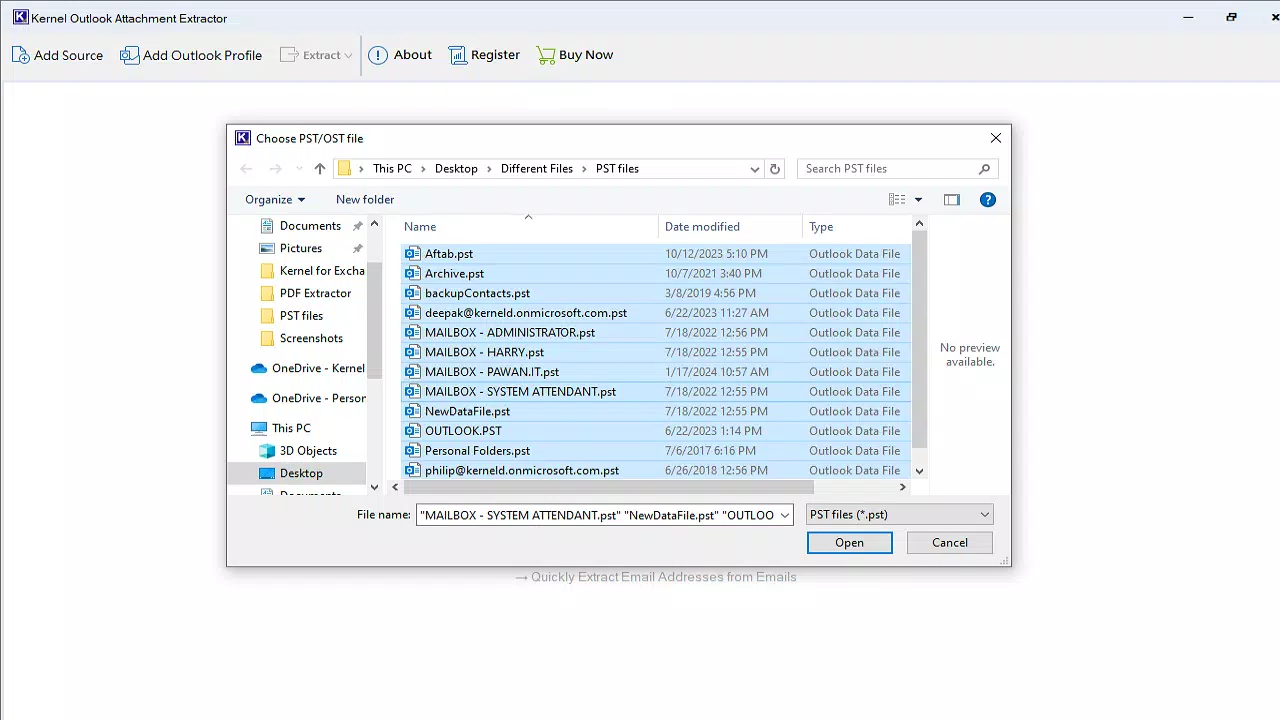
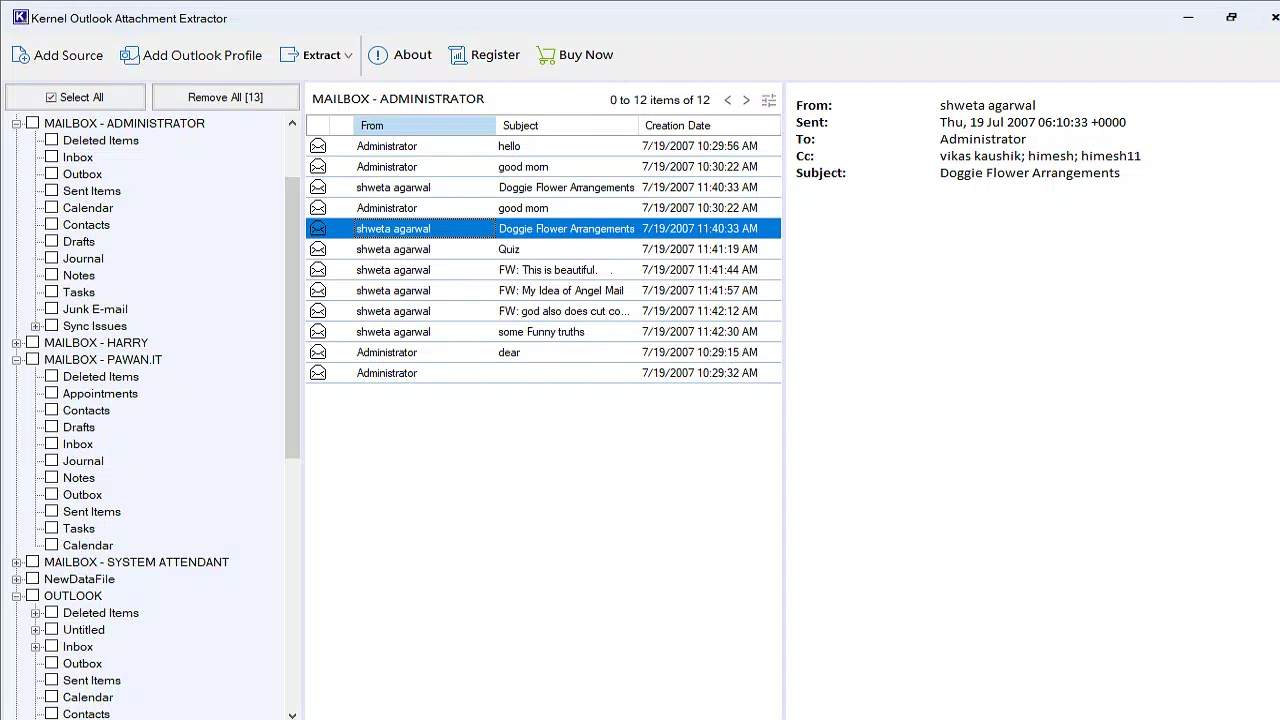
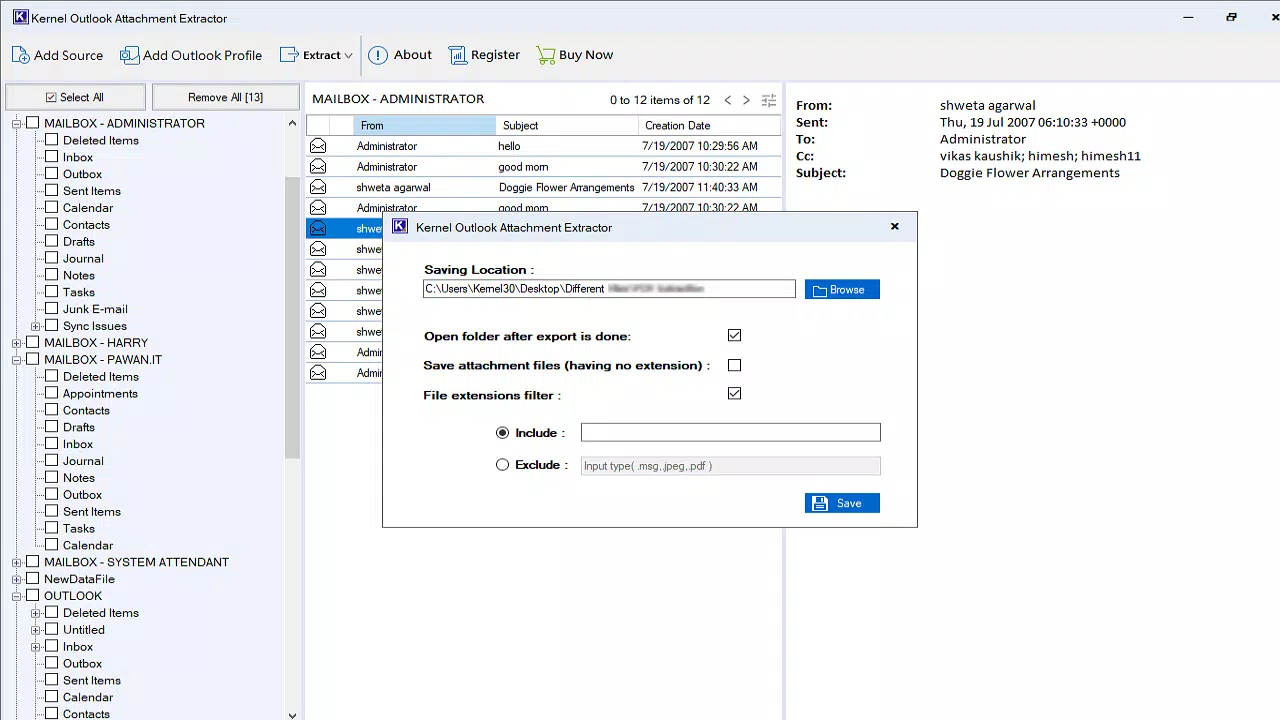
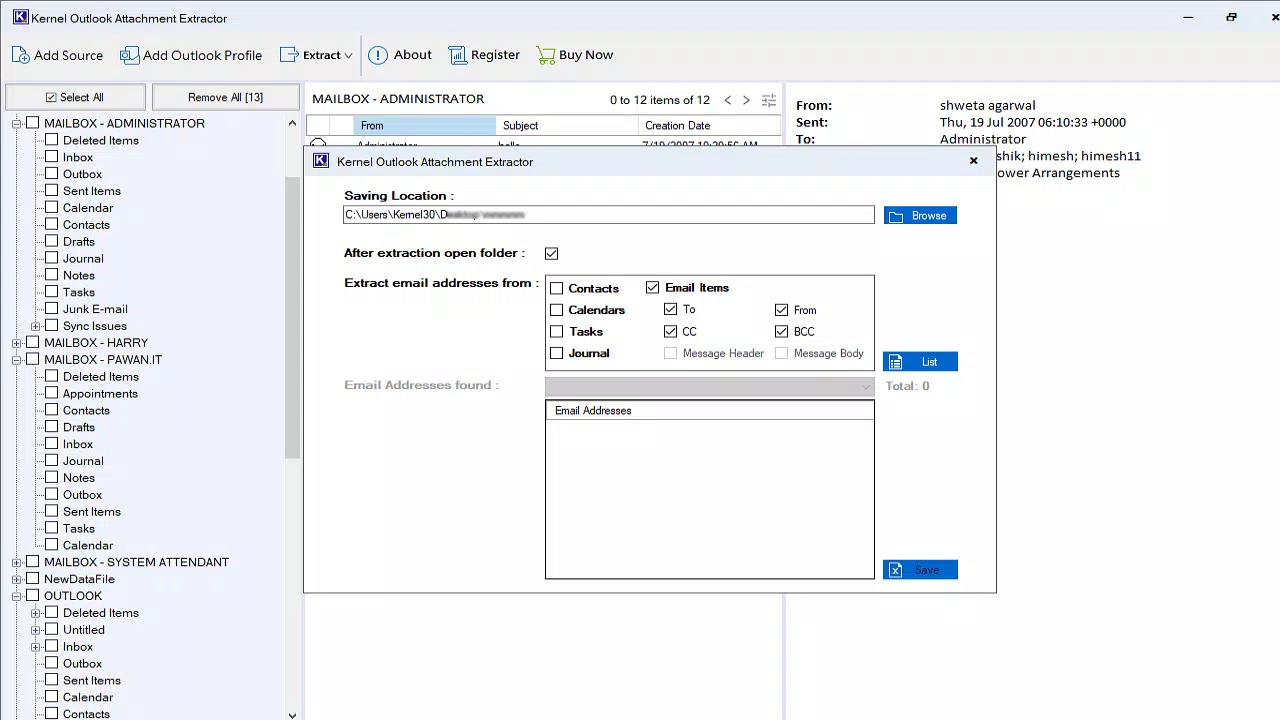
The user interface of Kernel for Outlook Attachment Extractor is clean and logically structured, with a focus on minimizing user effort during data recovery. Navigation is linear: users select the source file (OST or PST), preview the extracted content, and choose a destination folder for saving attachments. The layout is consistent across all stages, contributing to a predictable and stress-free experience. Visual cues, such as progress bars and status indicators, help users monitor ongoing operations.
Although the developer did not list formal performance metrics, the tool is described as optimized for speed, suggesting efficient memory and disk usage. It is expected to perform reliably on modern Windows systems, including laptops and desktops with standard configurations. Responsiveness is maintained even when processing large files, with minimal lag during file selection and preview phases. Stability appears robust, as the application does not report crashes or freezes in standard usage scenarios. However, specific requirements for RAM, CPU, or disk space were not disclosed, and compatibility with older Windows versions was not specified.
Platform Compatibility & Technical Requirements
Kernel for Outlook Attachment Extractor is designed for the Windows operating system. It is available in version 1.0.0 and has a file size of 24.5 MB, indicating a lightweight installation footprint. The app is compatible with current Windows versions, though the developer did not specify minimum OS requirements or hardware specifications. Users should ensure their system meets standard Windows application requirements for smooth operation.
As the tool targets OST and PST files—native formats used by Microsoft Outlook—it is intended for use in environments where Outlook is either installed or previously configured. The absence of cloud-based or cross-platform functionality suggests this is a desktop-only utility. No information was provided about support for mobile devices, web clients, or alternative operating systems. Users relying on macOS or Linux must seek alternative solutions.
Pros and Cons
Pros
- Efficient extraction of attachments from OST and PST files
- Free trial version allows evaluation of core functionality
- Supports both standalone files and Outlook profiles
- Intuitive interface suitable for users of all experience levels
- Lightweight installation at 24.5 MB
Cons
- Exclusive availability on Windows platform
- No information on system requirements or compatibility details
- Full version requires a paid license at $79.00
- Does not support mobile or cross-platform use
- Price may be high for casual users
FAQ
Is Kernel for Outlook Attachment Extractor safe to download and use?
Yes, the tool is developed by Kernel Data Recovery, a recognized provider of data recovery software. It does not include malware or unwanted components. Users should download only from official sources to ensure security.
Can I extract attachments from corrupted OST or PST files?
The tool is designed to handle damaged or inaccessible files, but its effectiveness depends on the severity of corruption. It may recover data from moderately corrupted files, though severe damage may limit results.
Does the trial version extract all types of attachments?
Yes, the trial version allows extraction of up to 10 items, including documents, images, and other common file types, regardless of format.
Is there a mobile version of this app?
No, the application is currently available only for Windows. There is no official mobile version for Android or iOS.
How often are updates released for this tool?
Updates are released periodically to improve performance and compatibility. Specific release schedules were not disclosed by the developer.
Final Thoughts
Kernel for Outlook Attachment Extractor stands out as a focused, efficient solution for users needing to recover attachments from Outlook data files. Its ability to extract content from OST and PST files—whether corrupted or archived—makes it a valuable asset for professionals managing critical email data. The inclusion of a free trial allows users to test functionality before purchasing, reducing risk. While the price point may be steep for casual users, the tool delivers tangible value for IT administrators, legal teams, and anyone dealing with large-scale email recovery.
For those working within the Windows ecosystem and relying on Outlook, this app offers a reliable, no-frills method to retrieve lost or inaccessible attachments. Its straightforward interface and targeted features ensure a smooth experience without unnecessary complexity.
Download Kernel for Outlook Attachment Extractor now


